
COT Screener · Features
Inside the app
What each page of COT Screener shows, what question it answers and how to read it. Every article walks through one surface of the app, with real screenshots.
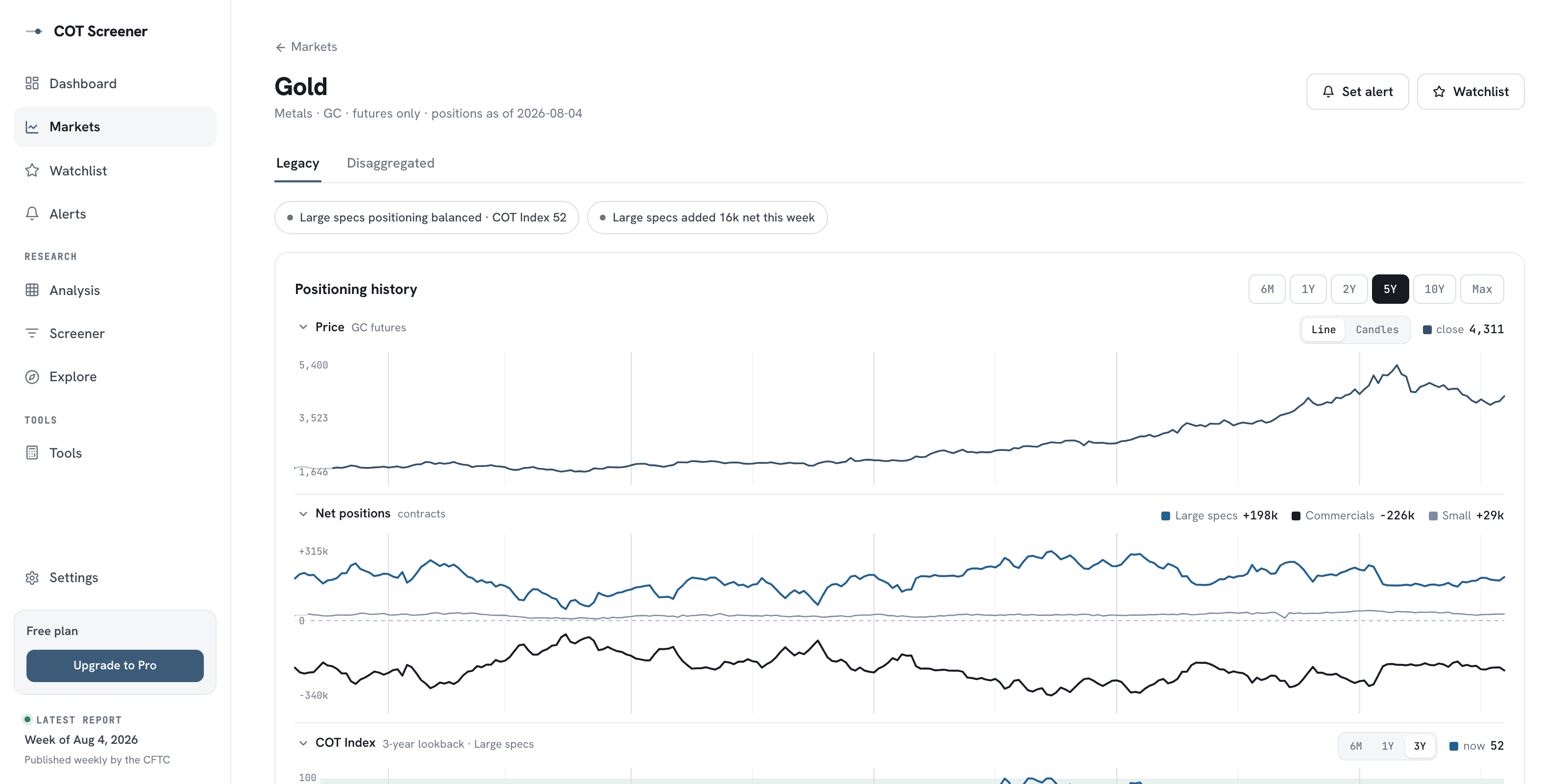
Inside the market analysis page
A walkthrough of the per-market view: positioning history, the COT Index over three windows, the original CFTC table and the weekly changes behind it.
Updated August 2026 · 6 min read
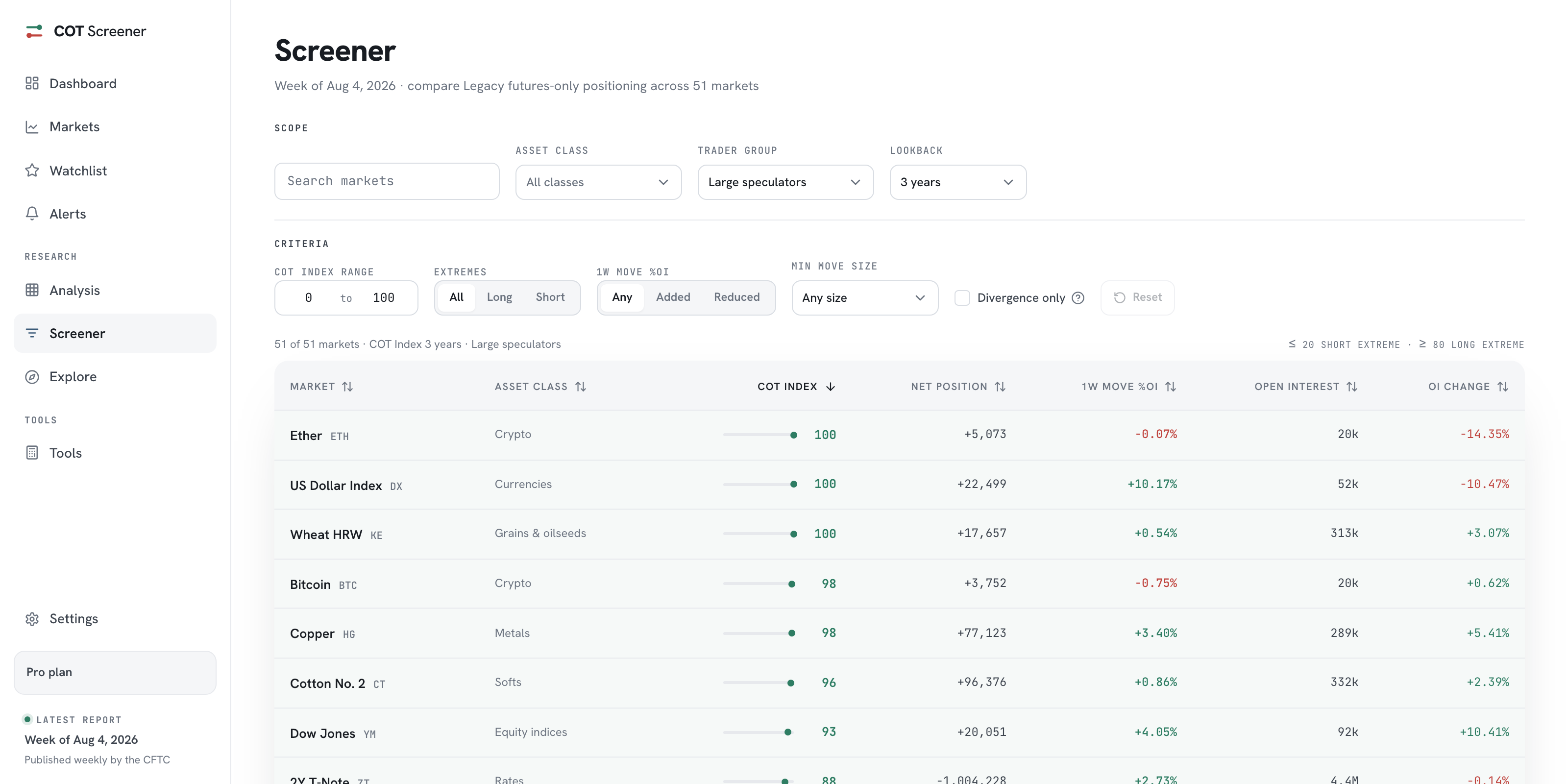
The screener: filter markets by positioning
Rank every major market by COT Index, net position and weekly change, then narrow the list with extreme and movement filters.
Updated August 2026 · 3 min read
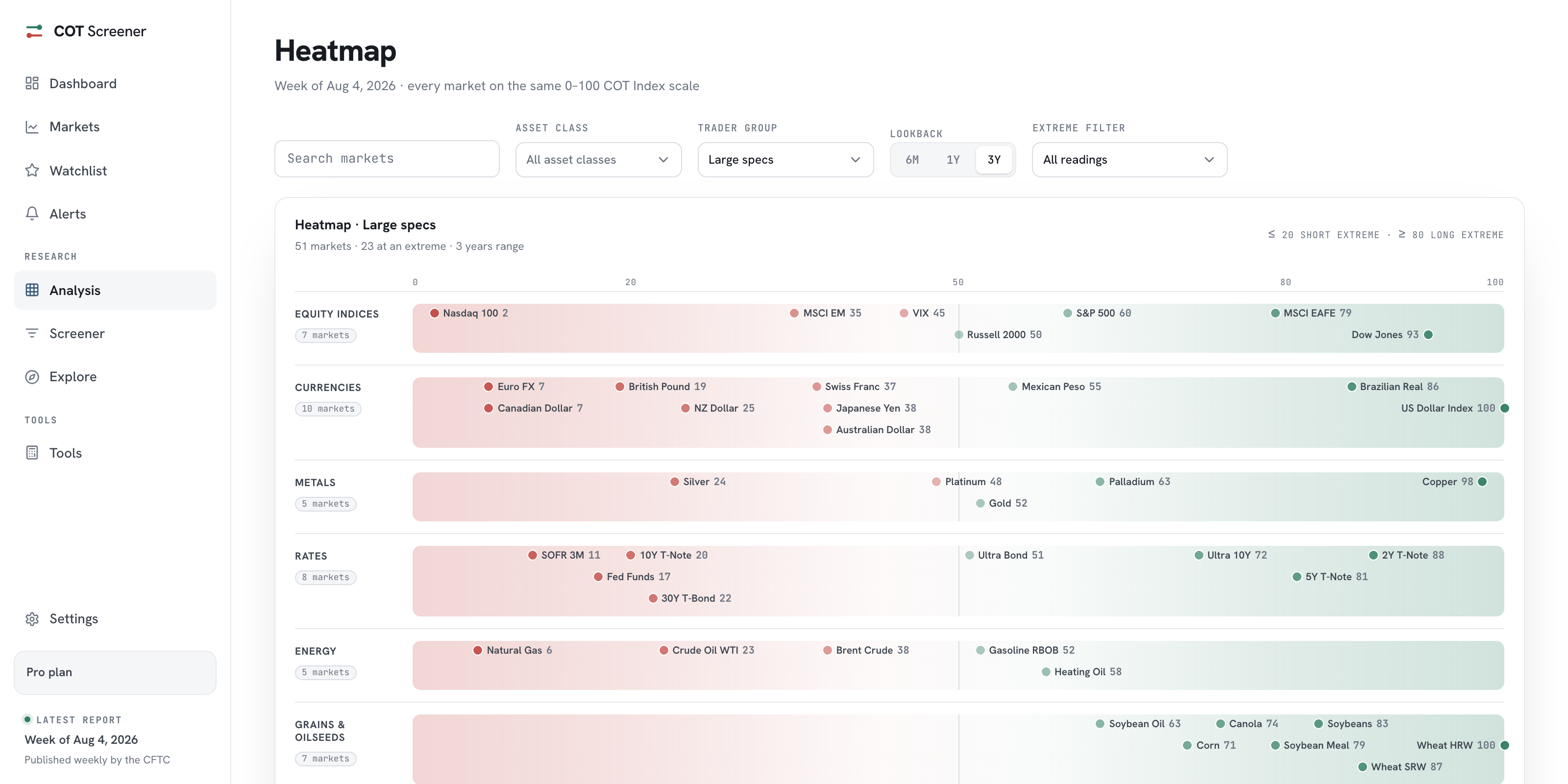
The COT heatmap: every market on one scale
All major markets on the same 0 to 100 axis, grouped by asset class, so crowded and quiet corners show at a glance.
Updated August 2026 · 2 min read
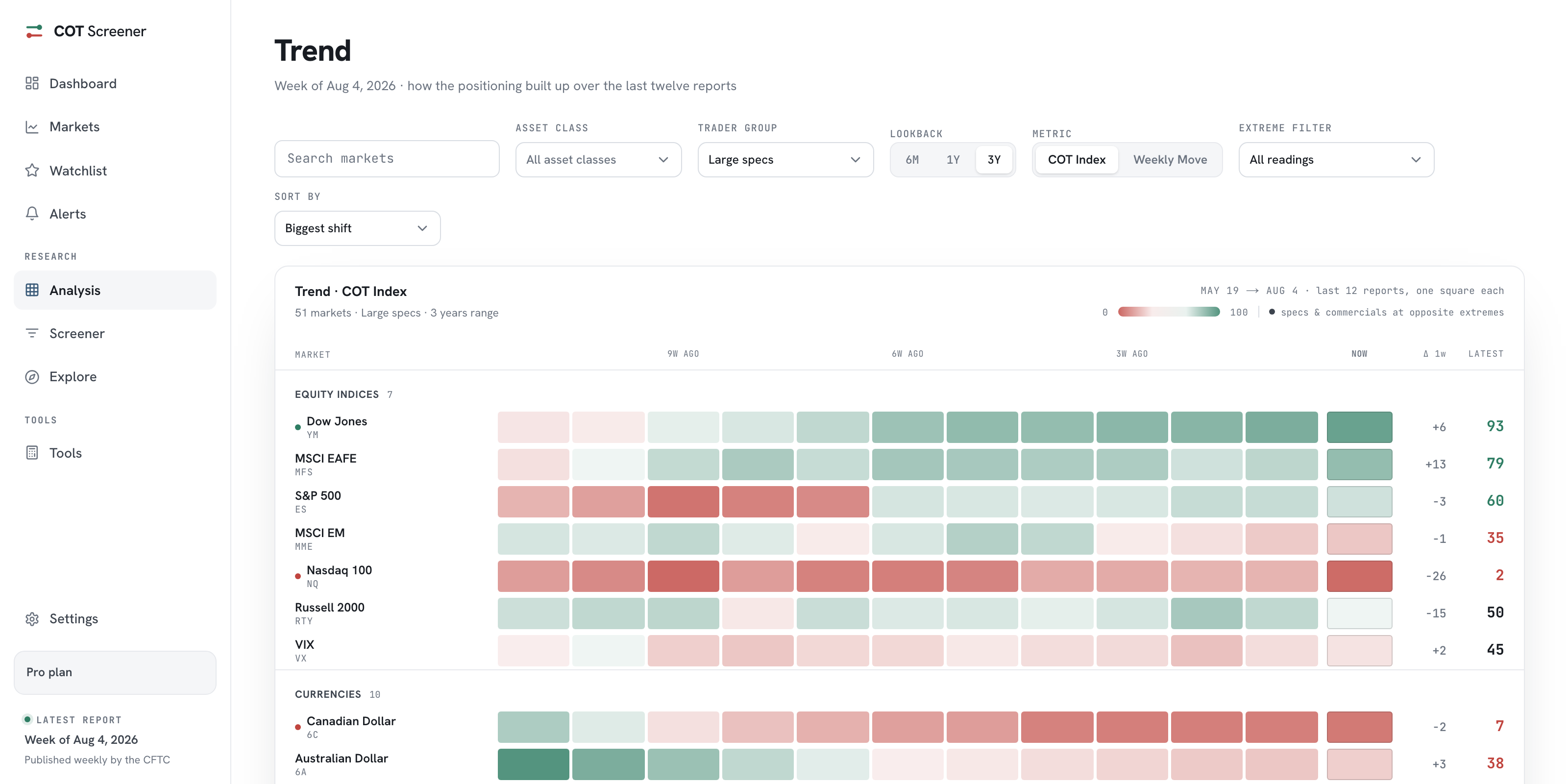
The trend view: twelve weeks in colour
One coloured square per report and market. Twelve weeks side by side show which positions are building and which just flipped.
Updated August 2026 · 2 min read
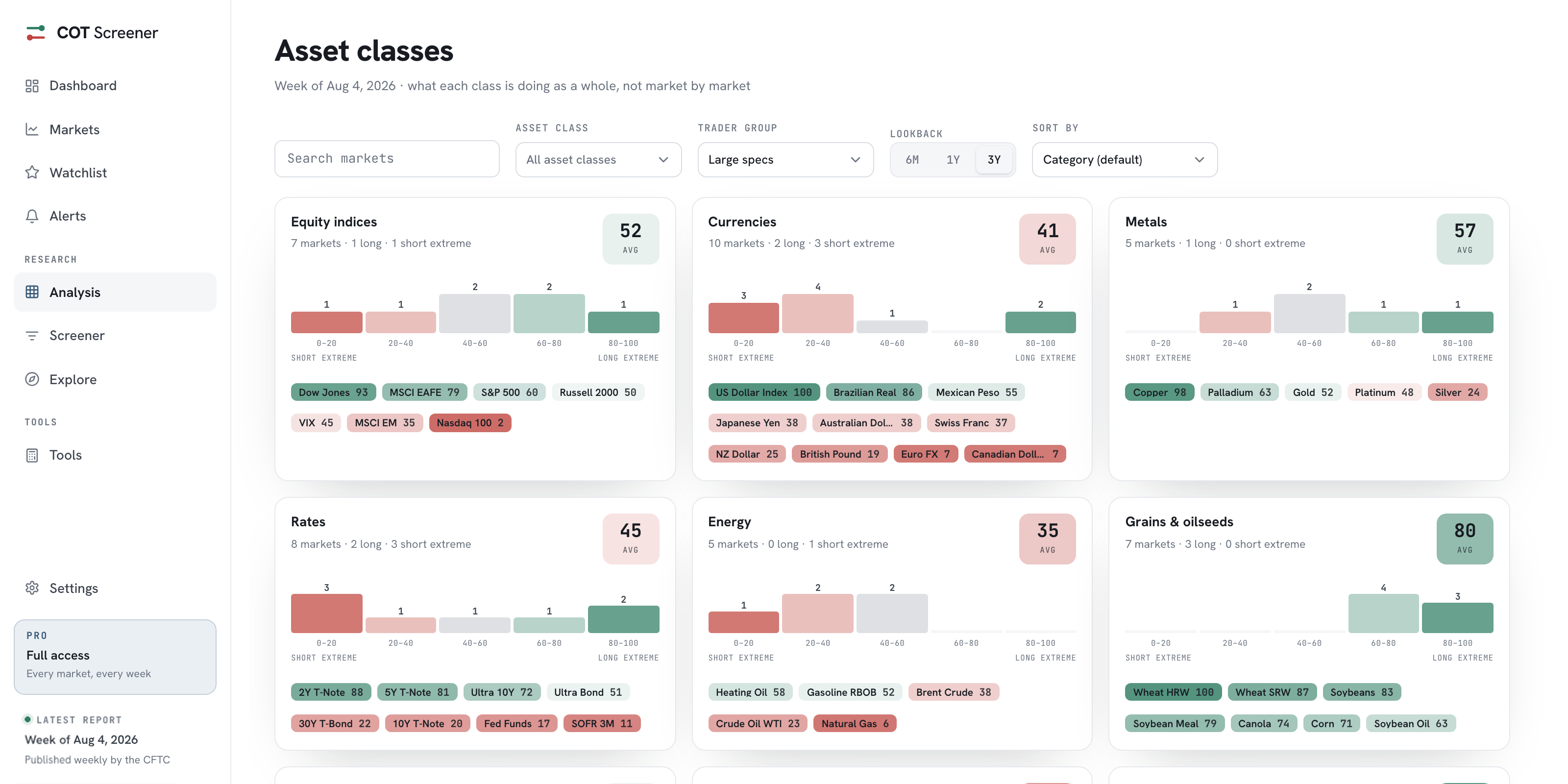
Asset classes: positioning by sector
Each class summarised as one card: its average COT Index, how its markets spread across the scale and who sits at an extreme.
Updated August 2026 · 2 min read
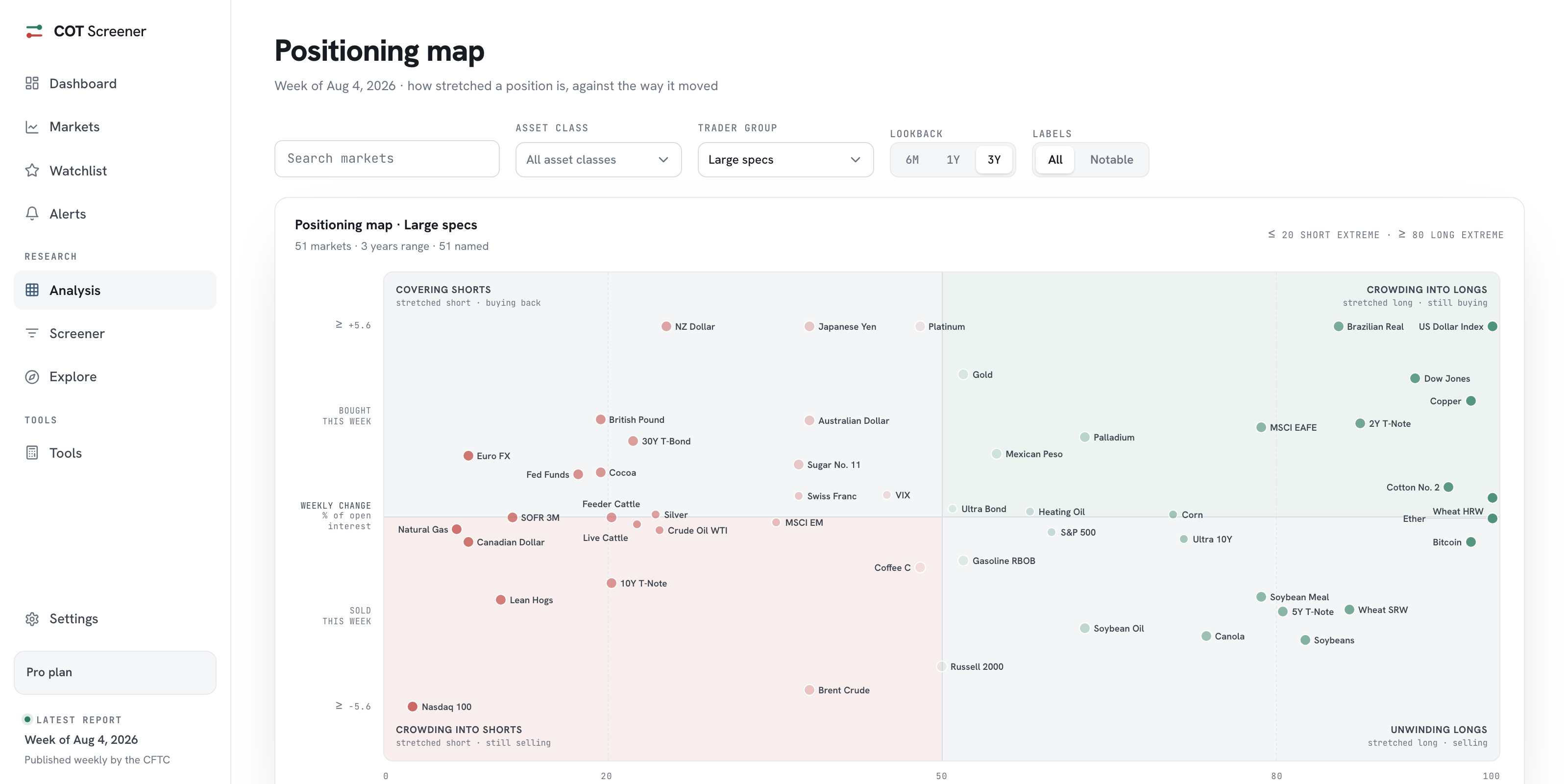
The positioning map: stretch against movement
A two-axis view that separates crowding from unwinding: how extreme each position is, against what it did this week.
Updated August 2026 · 2 min read
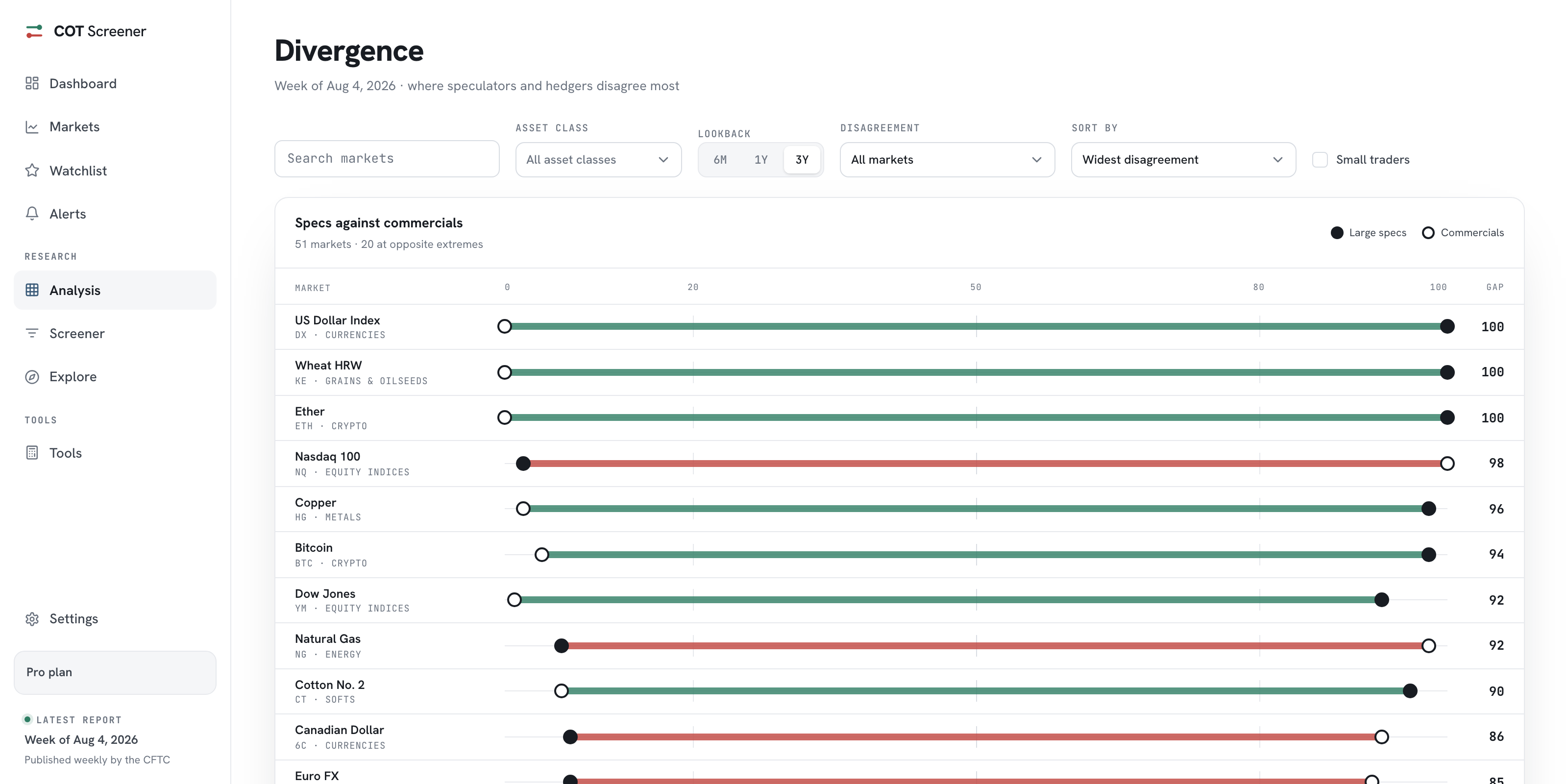
Divergence: speculators against hedgers
Both sides of every market on one line. The wider the gap between large speculators and commercials, the higher it ranks.
Updated August 2026 · 3 min read
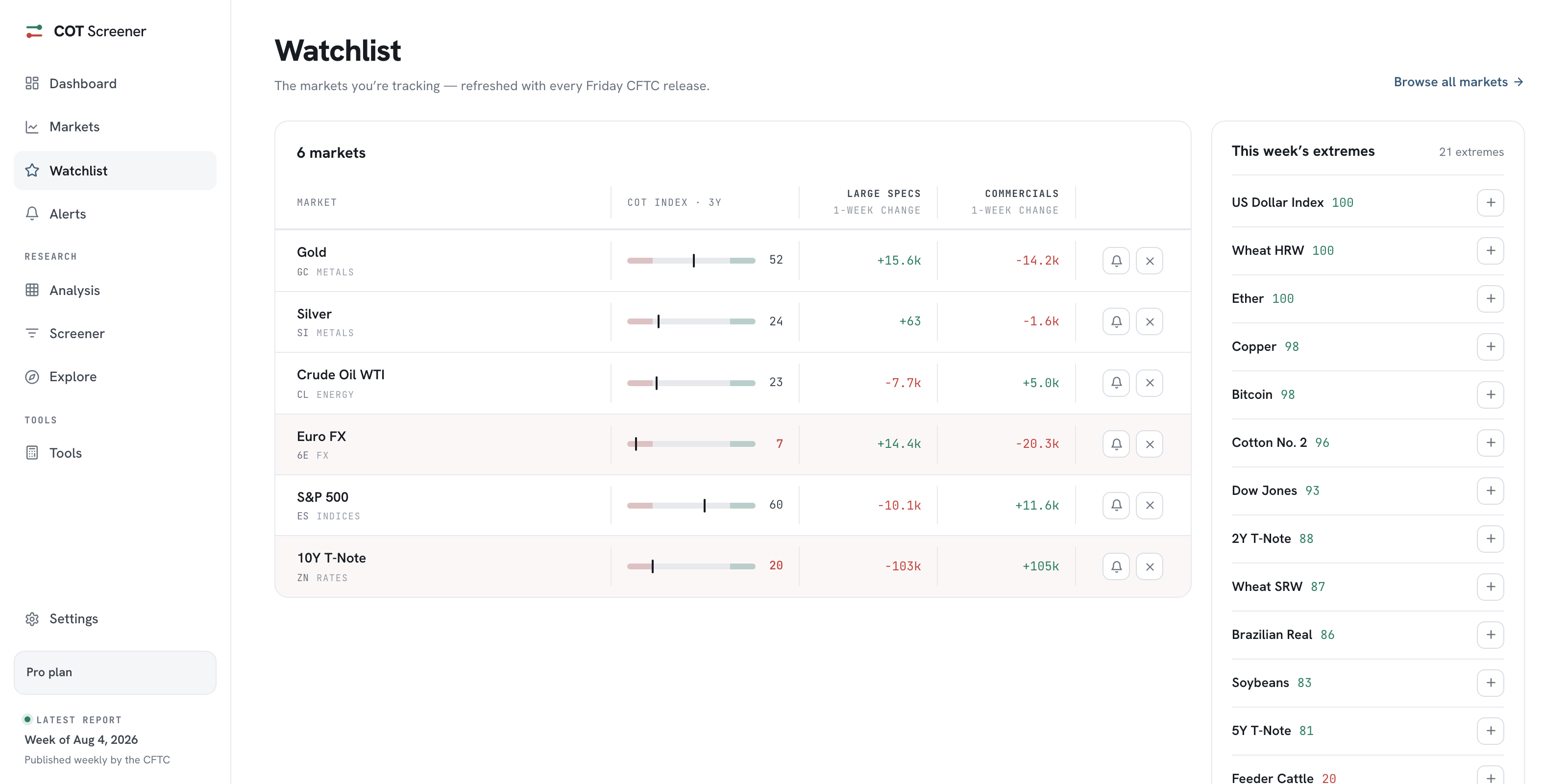
Watchlist and alerts: the weekly routine
Pin the markets you follow, then let alerts watch the COT Index levels you care about between Friday releases.
Updated August 2026 · 3 min read
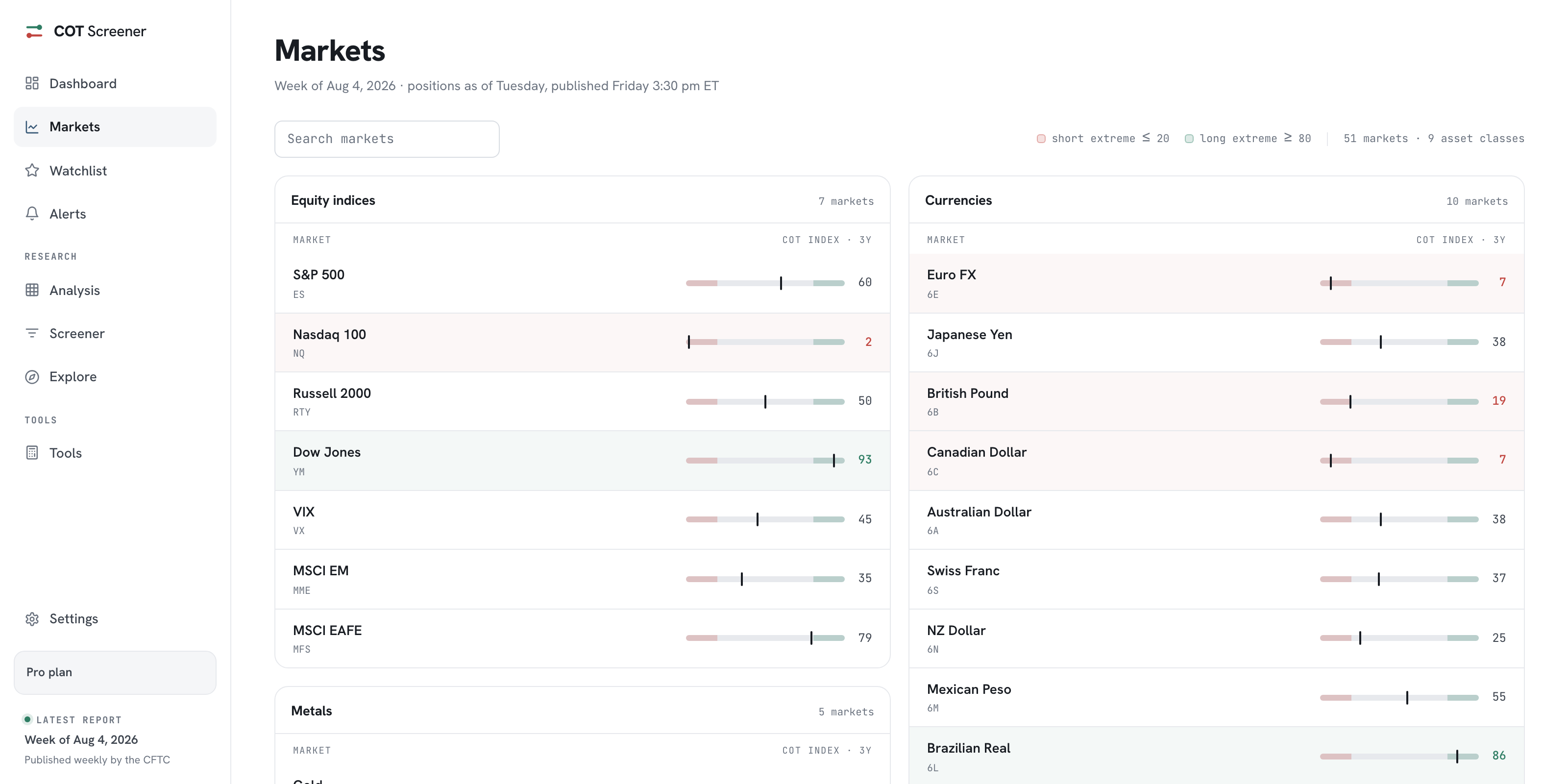
Market coverage: the majors and the full catalog
How the curated Markets page and the complete Explore catalog fit together, and how every market opens the same analysis.
Updated August 2026 · 3 min read
Shorter than any article: open it.
A free account opens the app with the major markets and a year of history, straight from the weekly CFTC release.
Gold, Oil and Euro FX free in full · no card needed